Creating a Dynamic Student List: Difference between revisions
From Redrock Wiki
Creating a Dynamic Student List
Revision as of 22:21, 22 April 2020
|
|
Creating a Dynamic Student List
|
| To create a new dynamic list, choose the Power Search choice from the List Options menu in the Student Listing screen. Enter the criteria for the new dynamic list.
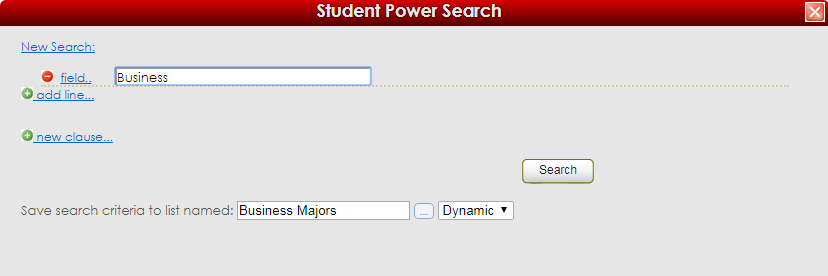
Enter a name for the new dynamic list in the entry field at the bottom of the power search screen and choose Dynamic for the list type. Click Search to find the students and create the new dynamic list.
|
|
