TracCloud: Custom Widgets
From Redrock Wiki
This page is still in progress! Come back later to learn more.
Additional Features
Custom Widgets
Description.

- Custom Widget Width
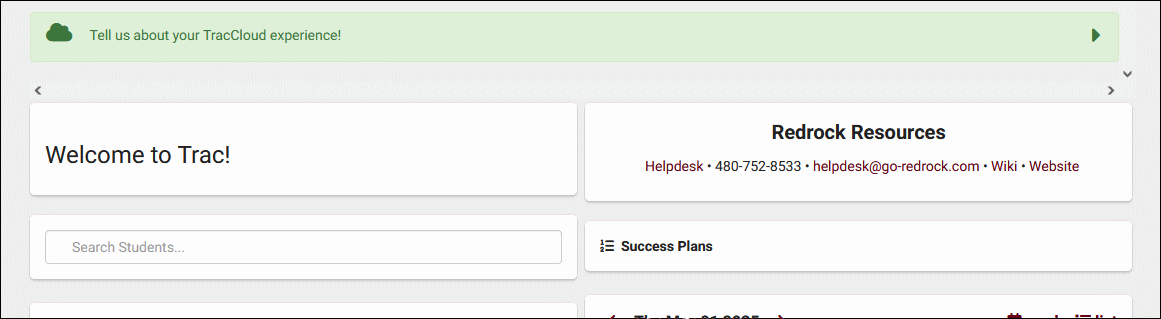
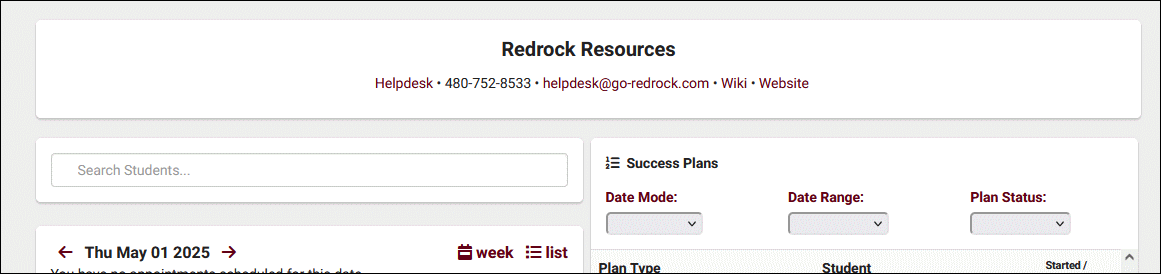
- Choose whether the widget is half or full width on the dashboard. If set to full width, it's recommended to also set your welcome message to full width to match.
- Half width
- Full width


- Target
- Choose which user types can view this custom widget.
- If "Anonymous Web" is selected, it will be possible to embed the contents of this widget in an iframe outside of the Trac System. See example below.
<iframe src="https://traccloud.go-redrock.com/example/trac/ajax.php?proc=drawCustomWidget&widgetNo=1">
</iframe>
- Widget Content
- Enter the contents of your custom widget message here. You can optionally edit the HTML directly by clicking on Tools > Source Code.
- Enter the contents of your custom widget message here. You can optionally edit the HTML directly by clicking on Tools > Source Code.
Group Permissions
In order to view custom widgets, you must provide that group access to it. Go to Other > Other Options > Groups > [The group you want to modify] > Admin / Modules > Custom Widgets / Field Locations and add the custom widget you want to share with them.
