TracCloud: Custom Widgets: Difference between revisions
From Redrock Wiki
No edit summary |
No edit summary |
||
| Line 21: | Line 21: | ||
::[[File:5003336.png|700px]]<br><br> | ::[[File:5003336.png|700px]]<br><br> | ||
* <b>Target</b> | |||
:: | |||
<syntaxhighlight lang="html"> | <syntaxhighlight lang="html"> | ||
<iframe src="https://traccloud.go-redrock.com/example/trac/ajax.php?proc=drawCustomWidget&widgetNo=1"> | <iframe src="https://traccloud.go-redrock.com/example/trac/ajax.php?proc=drawCustomWidget&widgetNo=1"> | ||
Revision as of 23:18, 1 May 2025
This page is still in progress! Come back later to learn more.
Additional Features
Custom Widgets
Description.

- Custom Widget Width
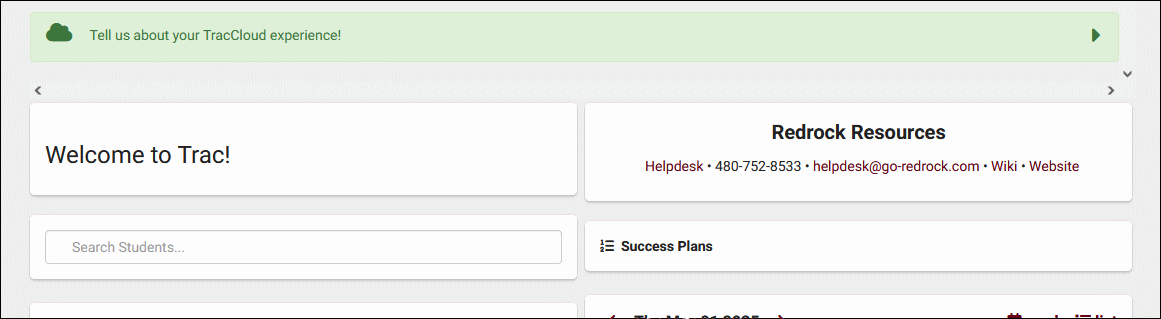
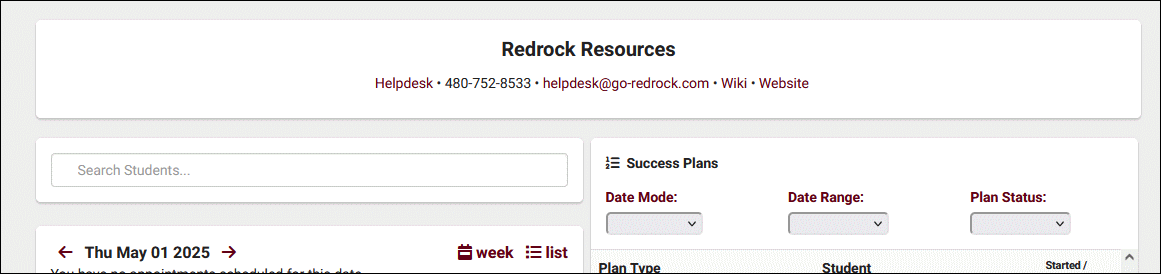
- Choose whether the widget is half or full width on the dashboard. If set to full width, it's recommended to also set your welcome message to full width to match.
- Half width
- Full width


- Target
<iframe src="https://traccloud.go-redrock.com/example/trac/ajax.php?proc=drawCustomWidget&widgetNo=1">
</iframe>