TracCloud: Custom Widgets: Difference between revisions
From Redrock Wiki
Created page with "{{WIP}} {{TracCloudGuideTabs}} <div class="tcWidgetPage"> <div class="category"> {{TracCloudModulesTOC}} </div> <div style='text-align: center;'> <big><b> ==Custom Widgets== </big></b></div> Description.<br><br> 850px<br><br> <syntaxhighlight lang="html"> <iframe src="https://traccloud.go-redrock.com/example/trac/ajax.php?proc=drawCustomWidget&widgetNo=1"> </iframe> </syntaxhighlight> </div> <!--Category:TracCloud Manual-->" |
No edit summary |
||
| Line 13: | Line 13: | ||
[[File:8753305.png|850px]]<br><br> | [[File:8753305.png|850px]]<br><br> | ||
* <b>Custom Widget Width</b> | |||
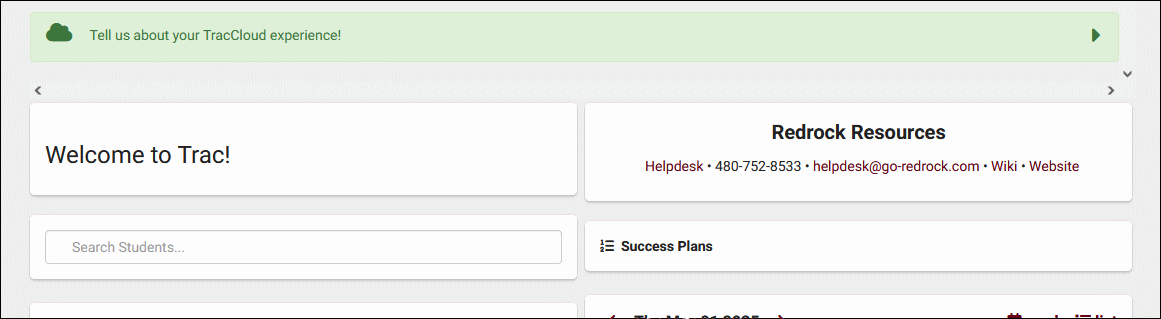
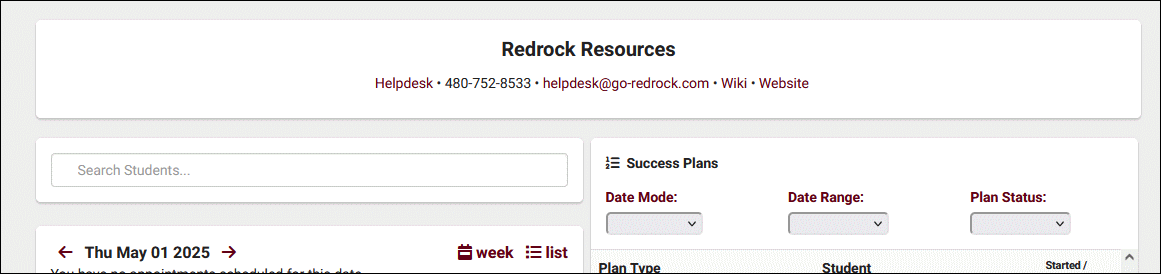
::Choose whether the widget is half or full width on the dashboard. If set to full width, it's recommended to also set your [[TracCloud:_Welcome_Messages|welcome message]] to full width to match. | |||
::<i>Half width</i> | |||
::[[File:2496284.png|700px]] | |||
::<i>Full width</i> | |||
::[[File:5003336.png|700px]]<br><br> | |||
Revision as of 23:16, 1 May 2025
This page is still in progress! Come back later to learn more.
Additional Features
Custom Widgets
Description.

- Custom Widget Width
- Choose whether the widget is half or full width on the dashboard. If set to full width, it's recommended to also set your welcome message to full width to match.
- Half width
- Full width


<iframe src="https://traccloud.go-redrock.com/example/trac/ajax.php?proc=drawCustomWidget&widgetNo=1">
</iframe>